We have been going for almost 20 years since the CIIT-Software our infrastructure VMware vSphere The acquisition of VMware by Broadcom and the associated changes in licensing and pricing models forced us to switch virtualization platforms. After a multi-month evaluation and planning phase, we finally and successfully transitioned to [new platform name] in March of this year. Proxmox We migrated. Here we describe our motivation, experiences, pitfalls, and the most significant differences that have resulted for us.
Why did we switch?
The reason for the migration was the rising licensing costs, which would have increased approximately tenfold had they remained with VMware. The primary reason is Broadcom's switch from a socket/host-based licensing model to a core-based model, which also changed from a perpetual license to a subscription-based model. For a small business, this means a cost increase that would negatively impact profits in its own infrastructure. For infrastructure operated for customers, this would result in a price increase.
VMware vSpheres licensing costs for our 148 cores across a total of 6 sockets in the infrastructure:
License | Price / Core | Number of cores | € net / year |
vSphere Standard | 56 | 148 | 8.288 |
vSphere Enterprise | 173 | 148 | 25.604 |
vSphere Foundation | 215 | 148 | 31.820 |
These costs are followed by the costs for backup software. Here, I will provide a comparison of the leading providers Veeam and Acronis.
First Veeam:
License | Price / 5 VM | Number of VMs | € net / year |
Veeam Data Platform Essentials | 388 | 79 | 6.130 |
Acronis is our preferred backup solution due to its observed higher reliability compared to Veeam. It incurs the following annual costs:
License | Price / Host | Number of hosts | € net / years |
Acronis Cyber Protection | 452 | 5 | 2.260 |
The minimum license costs for operating our virtualization infrastructure are therefore €10,548 per year.
Why don't we operate in the cloud? - A cost comparison
When talking to IT professionals who are less familiar with the actual costs of virtualization or who operate in the cloud themselves, the question quickly arises as to why one doesn't operate in the cloud.
The answer is simple: the costs are many times higher with roughly the same administrative effort.
Minimal costs when operating in the cloud
A simple example calculation: A minimum of the VMs we need, running in the Google Cloud, incurs costs of at least €30 per month. For our 79 VMs, the minimum costs would be calculated as follows:
79 * 30
= 2,370 per month
= 28,440 per year
However, this calculation uses a small VM as a reference. As soon as VMs have higher RAM, storage, or CPU requirements, the costs increase dramatically. We assume a minimum cost of €2,000 for backup software (backups are necessary even in the cloud).
Therefore, the minimum total costs would amount to €30,440 per year.
Hardware costs when operating in own infrastructure
Considering the cost of two high-performance servers capable of handling this load (with the option of failover to a single machine), the hardware costs amount to approximately €30,000 spread over five years. This equates to €6,000 per year. Electricity costs are additional. We assume 230 watts per server, or 460 watts for both servers.
This amounts to: per year
460W * 24h * 365 ~ 4,000,000Wh = 4,000kWh
We'll assume a price of 21 cents net per kilowatt-hour. This brings us to:
4,000 * 0.21 = €840 per year
Adding together the hardware and electricity costs, this amounts to €6,840 (net) per year.
Cost: Proxmox
Proxmox offers different support levels, which in turn affect the costs. As in the VMware example above, we are using the most cost-effective commercial model:
variant | Price / Base | Number of sockets | Price per year |
Proxmox Open Source | 0 | 6 | 0 |
Proxmox Basic | 115 | 6 | 690 |
Proxmox Standard | 530 | 6 | 3.180 |
Proxmox Premium | 1.060 | 6 | 6.360 |
Costs: Proxmox backup server
In addition, there are the costs for backups. For this, we use the Proxmox Backup Server (PBS), which is an excellent solution for our requirements. PBS is comparable to Veeam and Acronis in terms of functionality, but in our experience, it is significantly more reliable in terms of backup consistency and error resistance.
variant | Price per year |
PBS Open Source | 0 |
PBS Community | 540 |
PBS Basic | 1.080 |
PBS Standard | 2.160 |
PBS Premium | 4.320 |
The minimum costs at Proxmox are therefore 0, the maximum costs are:
6360 (Proxmox VE Premium) + 4320 (Proxmox Backup) = €10,980 (net) per year
However, we are assuming a moderate "basic" licensing agreement. The annual costs for this are as follows:
690 + 1080 = €1770 (net) per year
Cost comparison
This leads us to the following cost difference:
variant | Costs of cloud storage versus own hardware | License Virtualization Platform | Net total costs per year in € |
Cloud | 28.440 | 0 | 28.440 |
Own servers VMware | 6.840 | 10.548 | 17.388 |
Proxmox Basic License | 6.840 | 1.770 | 8.610 |
Proxmox without support | 6.840 | 0 | 6.840 |
This shows us that operating in the cloud is by far the most expensive of all options, followed by VMware in your own infrastructure and finally the different Proxmox variants.
The cheapest Proxmox option costs less than a third of the cloud option. Additionally, a licensed Proxmox support option halves the cost compared to the cheapest VMware option.
Other alternatives to VMware
We've already done a preliminary cost comparison and determined the costs for Proxmox. What are some other alternatives to VMware?
alternative | Strengthen | restrictions |
|---|---|---|
Proxmox VE |
|
|
Hyper-V |
|
|
Red Hat Virtualization / oVirt |
|
|
Nutanix AHV |
|
|
XCP-ng / Xen |
|
|
KubeVirt |
|
|
Besides Proxmox, we have XCP-ng evaluated in a trial installation.
Proxmox vs. XCP-ng
- XCP-ng attempts to prevent the use of an unlicensed version of its open-source software by imposing several hurdles during download and installation. This behavior suggests that the company behind it deliberately wants to restrict the use of the free version. As the operator, you are therefore required to manually build the software before installation.
- XCP-ng does not offer a free backup solution that supports incremental and deduplicative backups. Besides XCP-ng's own solution, there are also third-party providers that offer commercial backup solutions.
- The WebUI requires a separate installation, similar to VMware's vCenter Server. This concept is inferior to Proxmox's. In Proxmox, each node has a WebUI through which the entire cluster can be configured. This means that as long as at least one node is available, operation via the WebUI is possible – a dream from an administrator's perspective.
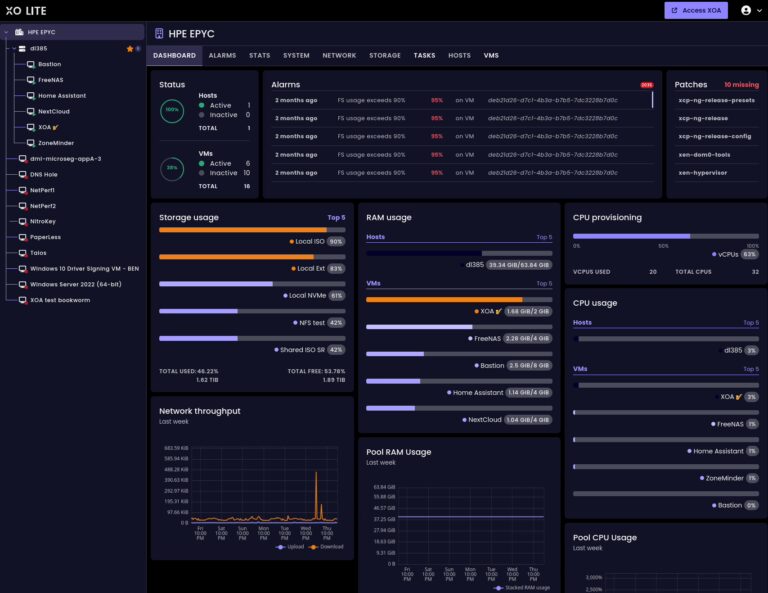
- The key difference between XCP-ng and Proxmox is that XCP-ng is based on Xen, while Proxmox is based on KVM. KVM is tightly integrated into the Linux kernel, is the more modern technology, has a very large and active community, and is also used as a foundation by many well-known cloud providers. Examples include: Amazon, Ionos, Google, IBM, DigitalOcean, etc. Both Amazon and Google, by the way, have migrated from XEN to KVM.
Why we chose Proxmox
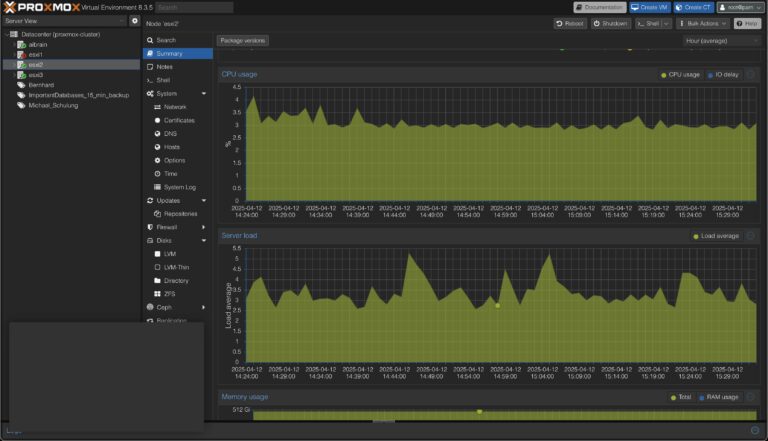
- Proxmox offers outstanding functionality at very moderate to no cost.
- The company is based in Vienna.
- The cluster concept with its own UI on each node is outstanding.
- The backup software is great, has all the necessary features and is extremely reliable.
- The cluster can connect to the VMware server and import virtual machines directly and independently from there.
- Our hardware supplier (Thomas Krenn) offers Proxmox-certified hardware.
- Proxmox is also fully configurable via the console and uses standard Linux concepts for virtualization and storage (KVM, LVM, Debian Linux).
- Proxmox delivers truly excellent high availability and live migration of VMs. A VM can be moved between nodes without any problems (even with local storage) while running – a feature that comes at a high price with VMware and would not be included in the version calculated here for cost comparison.
Proxmox Backup Server
As mentioned above, a truly crucial feature is the Proxmox Backup Server. It's a standalone instance that can also be run virtually. Backup storage is mounted to it, for example via iSCSI or NFS. Backups are then performed in this mounted storage. Of course, local storage on the Backup Server can also be used. In Proxmox VE, the Backup Server is then integrated as a separate storage type.
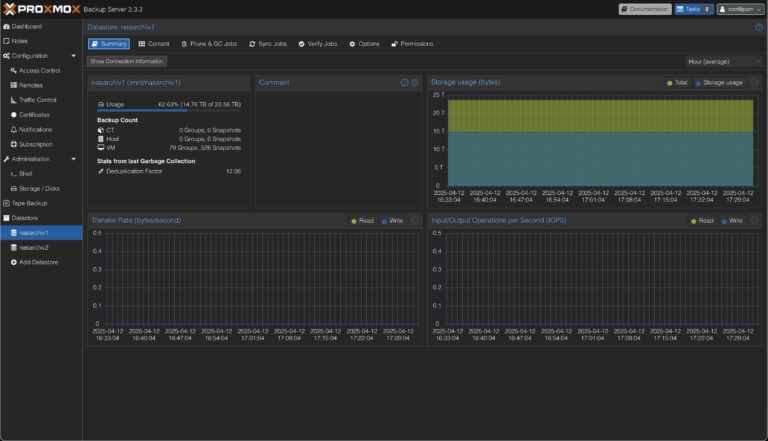
Backups to the backup server are automatically incremental and deduplicative. Because the backup is based on snapshots, there is no interruption to the VM's operation.
The backup server can automatically replicate between two storage locations to achieve backup redundancy. It also features automated jobs for pruning, garbage collection, and backup verification. All these functions can be configured in granular detail via the web interface. Finally, it's also possible to store encrypted data on the backup server.
Backups in the cloud
Our backups are redundantly stored in two different buildings. This is achieved using the replication function of the backup server. Additionally, we create backups in the cloud to cover the event of a disaster in which both local backups are corrupted. While it would be possible to mount Amazon S3 or Google Cloud Buckets to the backup server for cloud backups, the backup would fail because these storage types do not support certain file operations used by the backup server.
The more practical way to perform backups in the cloud is different: You install an instance of the backup server in the cloud with directly connected storage behind it. Then you integrate this cloud backup server into the local Proxmox cluster. This is an excellent and extremely reliable solution. There are now also specialized providers, such as the Dutch company [name of provider missing in original text]. Tuxis. This provider offers pre-configured Proxmox backup servers that are available within minutes. When backing up to the cloud, the encryption supported by Proxmox backup servers is essential.
Pitfalls of migration
For performance reasons, we forego centralized, shared storage to implement high availability. This means that VMs and data reside directly on the respective host on which the machine is running. This approach leverages the superior performance of the NVMe-based hardware RAID arrays used – incomparable to a storage system connected via cables.
One drawback is failover. To implement fast failover, continuous live replication of the virtual machines is necessary. Here, a limitation of Proxmox causes us problems: replication is only possible if ZFS is used as the underlying file system. This wouldn't be a problem in itself, but: ZFS cannot be used on a hardware RAID array. This means that disk operation would have to be switched to JBOD mode, and a ZFS array would have to be used based on that.
Since we have no prior experience with ZFS arrays and reports indicate that ZFS arrays have performance disadvantages compared to hardware arrays, we have decided to refrain from this change for the time being.
The functionality for VM replication therefore remains unavailable to us for the time being. We hope for further development of the replication feature in Proxmox so that LVM-based storage is also supported.
Summary
Proxmox offers outstanding functionality and stability at a very low cost. In our experience, its backup concept is superior to that of Veeam and Acronis – especially in terms of reliability, but also in terms of performance.
Configuration via the UI is very good. Alternatively, configuration and scripting can also be done at the shell level.
Proxmox is gaining popularity rapidly – it has a huge community. The underlying KVM technology is part of the kernel and is undergoing dynamic and continuous development. This same virtualization technology is also used in the clouds of Amazon and Google.
And last but not least: We are no longer at risk of being blackmailed or abandoned by a manufacturer.