Intelligent cost recording with AI: Efficiency rethought
In a world where companies are confronted with a multitude of invoices and cost items on a daily basis, the efficiency of accounting processes is becoming increasingly important. As the complexity of data increases, it is important to minimize time-consuming manual processes and rely on intelligent solutions. This is exactly where our newly developed prototype comes in: an AI-supported platform that simplifies and accelerates workflows.
What makes cost recording with AI so special?
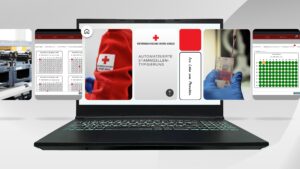
Our AI solution was integrated as a prototype into the company’s management system “Objack” Dlouhy Fahrzeugbau and offers fully automated processing of invoices. Users have the option of entering cost items such as fuel refills or repairs manually or using the AI that extracts data directly from uploaded invoices.
How does it work?
The AI reads all relevant items from the invoice, sends the information to a model in the Azure Cloud and automatically transfers the processed data to the system. Users only have to check and confirm the results, which significantly speeds up the entire process and minimizes errors. This seamless integration not only saves valuable time, but also significantly reduces accounting work. Where previously data was entered manually, the AI ensures reliable and fast processing based on the latest technology.
Safety and accuracy in focus
A crucial aspect of implementing this solution is ensuring data integrity. Every step is monitored and all invoices must be checked and signed by a user before they are finally processed. This provides the necessary security to exclude errors and create a reliable data basis.
Applications beyond accounting
The possibilities of this technology go far beyond traditional accounting. The underlying AI can also be used in other applications to extract data from PDFs, images or other documents and process it efficiently. The potential to optimize time-consuming processes in various areas of the company is enormous.
Conclusion
With our AI-supported cost recording solution, we are opening a new chapter in accounting. Companies benefit from faster processes, lower costs and greater accuracy. The security and reliability of the data is always guaranteed. If you would like to learn more about how our solution works, please take a look at the associated YouTube video to.
Video transcript:
Good day and welcome. My name is Benedikt Hausberger. I'm a software developer at CIIT and have recently specialized in machine learning projects. Today, I'd like to introduce you to a prototype we designed and developed in collaboration with Dlouhy GmbH Fahrzeugtechnik. This prototype simplifies the accounting of vehicle costs, making it easier to record and save expenses. It's integrated into the existing and operational ObJack application. ObJack is a management system for objects of all kinds. In this specific case, we have vehicles and vehicle-related objects. You can then store information under "objects," such as what's inside the vehicle. You can create jobs, reports, or damage reports, run routine tasks, add data or resources, and, of course, record costs. An example of a cost entry or an invoice is to enter it. This is a sample invoice with several line items. Among other things, it might include: diesel fuel was added to the vehicle, diesel fuel was used, maintenance was performed, the engine oil was changed, and the Aral Card was billed online. This is a typical monthly statement from Aral AG. This one is for November, where all the items are saved as an image or PDF. It shows both net and gross amounts. You can enter this sample invoice manually, meaning you get the costs included. You have to enter the invoice number, the supplier, the invoice date, and all the items. You can also enter a cost type, for example, fuel. Then you have to enter the net costs. You need to describe what was fueled, and you have to do this for all the items I showed earlier. It's important to note that these are only the net costs. You have to calculate the taxes separately. What we've developed is a prototype, or a service, that automates exactly this process. And I'll show you how it works. First, take this one and test it. You upload it, and then you'll see the button "Extract Items Using AI." That's the image. Then you send it to our service, which then sends this image to the Azure Cloud, loads it into, for example, the model, and then omits all the line items, and we insert it into our application. Right, then you can see immediately, okay, it's happening right now, the invoice is being extracted. You also see an indicator that it's happening in the background, and you don't have to do anything. Just wait a little. This usually takes 5 to 15 seconds, depending on the size of the invoice, and then you can see all the data and all the line items. What's also very important to us is that you can always see what has been generated, and you can see that right here, generated and also highlighted in red. Why red? The color indicates that it hasn't been signed yet and needs to be verified. Because you can never be 100% certain that what the AI generates is correct. You can never be sure. And especially with this data, where it's about invoices and taxes, it simply has to be accurate. This means we've implemented a system where the invoice is only accepted once it's been signed and verified by a user. When you access the invoice, you'll immediately see that it needs to be signed and confirmed. You do this by clicking on the "sign" button. Then you'll have all the necessary information: the invoice date, the supplier or provider (i.e., who issued the invoice), and the invoice numbers. You'll also see all the individual items, including their type (e.g., "fuel"), a description of each item, and finally, the tax. If you notice a small error, like a few cents off, you can correct it. This system works quite well. You can also add further information to the description if you wish. To do this, you simply need to verify and sign the invoice. And when you click on it, it gets signed in our application, and then you can see here, okay, it's still generating wars, but it's already signed. This process is significantly faster than manual entry. You don't have to do that; it's generated or extracted by the AI itself. So, the big advantage of this application is that it's simply much faster and much easier. This means you can save a lot of accounting work that's normally done by two, three, or four people. Well, that concludes the presentation. As we've seen, this can save a lot of work very quickly, without you having to do anything yourself. Simply capture the invoices, recognize them, and insert them into the main application. And this service can then be used in many other areas to extract similar information from PDFs or images and process it further in applications. Thank you for listening, and see you next time.